LuxEngine docs
LuxEngine is a 3D game engine and editor from Starbounded, written in C++20 on Vulkan for Windows and Linux. These guides get you from a clean machine to a running editor, then explain what each part of the engine does and what it doesn't do yet.
The repository's default master branch still holds the older StarEngine project; ignore it.
Before you start
You need the Vulkan SDK and .NET 10, and that's all: audio is built in. The newest work, which these guides describe, is on feature/lucky-merge until pull request 36 merges into dev. Getting started explains which branch to clone.
-
Build it
The SDKs to install, then clone, fetch, generate and build, on Windows or Linux.
-
Find your way around
Edit, Play and Simulate, camera controls, shortcuts, and every panel.
-
Rendering and materials
What the deferred renderer does, what it deliberately doesn't, and how to compare changes.
-
Audio
A built-in engine on miniaudio, Sounds and a mixer authored in the editor, and Soundwave acoustics.
-
Scripting
C# on .NET 10: a first script, the API you can reach, and what's missing.
-
Scenes and physics
EnTT scenes, prefabs with variants, Jolt in 3D and Box2D in 2D.
-
Assets and export
UUID handles, imports, asset and shader packs, and exporting a player.
-
Profiling
The Renderer Debugger, Tracy, RenderDoc, Aftermath and the headless tests.
A look inside
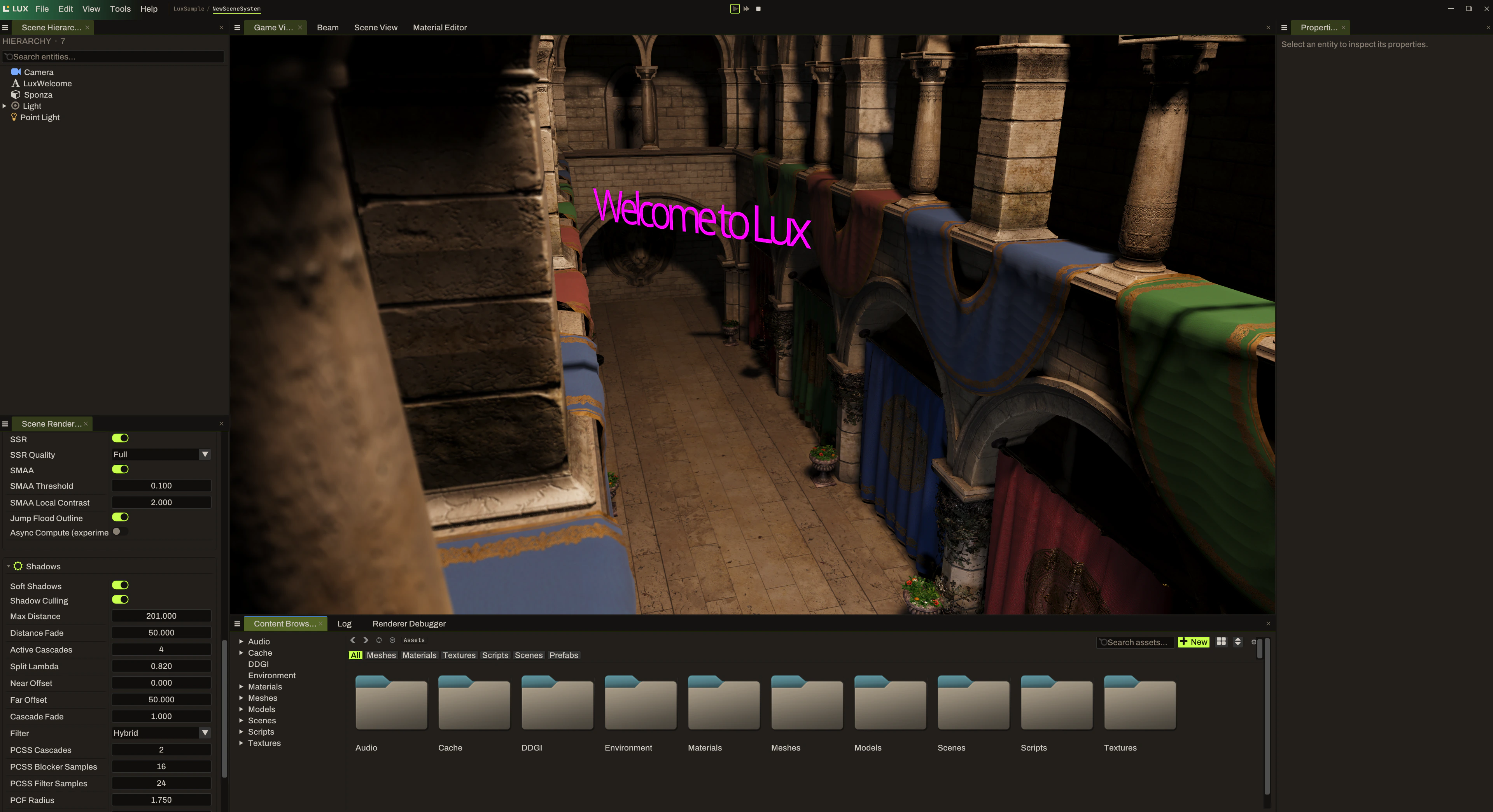
A development capture of the scene, hierarchy, rendering controls and content browser in one workspace. Your checkout may look different as the editor changes.
What's next
The roadmap explains the plan for 2027.1 and links to the project board, where every item is a GitHub issue.
If something gets in the way
Start with Troubleshooting. If you're still stuck, open a GitHub issue with your branch, commit, setup output and the steps that led to the problem. Contributing has the details.